Jenkins CI/CD 03 - Building and Pushing Docker Images to GCR
This article discusses the process of building a Docker image and pushing it to the Google Container Registry (GCR) within a Jenkins pipeline using the 'gcloud' command.

A Bit everyday A Byte every week
This article discusses the process of building a Docker image and pushing it to the Google Container Registry (GCR) within a Jenkins pipeline using the 'gcloud' command.
Configuring Load Balancing on GCP for Enhanced Server Flexibility
In the previous post Scalable Server 01 Auto Scaling
, it was mentioned that we need to configure a set of Load Balancers to distribute internet requests to different server hosts.
This allows us to dynamically adjust the number of hosts based on traffic and maintain stable service operations.
Using Laravel Sail to launch the development environment with ease and joy.
In the context of Laravel development environment setup, both official and unofficial sources offer a plethora of approaches.
This time, we will be introducing a package introduced after Laravel 8: Laravel Sail
.
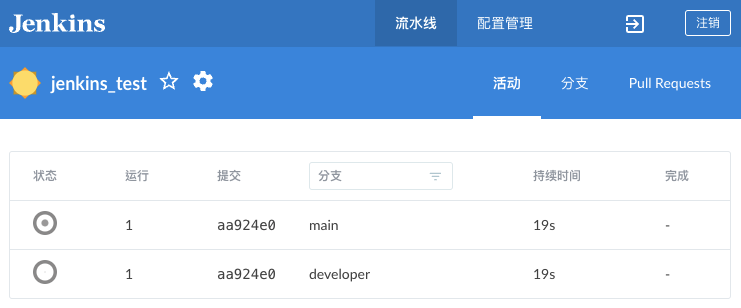
Creating a basic pipeline workflow and triggering it through GitHub webhooks
In Jenkins
, the build process is known as a pipeline.
It can also be triggered through webhooks, offering various triggering and execution methods.
Below, we’ll demonstrate how to integrate GitHub webhooks and provide common trigger condition examples.
Configuring Auto Scaling on GCP for Enhanced Server Flexibility
First, you need to stop the specified VM.
Next, in the sidebar, navigate to Storage -> Images, then click on it to select Create Image.
Make sure not to choose Virtual Machines -> achine Image as it will lead to confusion later on!
In the beginning, I mistakenly pressed Create Machine Image from the VM section and got stuck in this alternate world, which wasted my whole afternoon.
Setup Jenkins CI/CD step by step
Using queues to defer processing of tasks that don't need immediate attention.
The purpose of queues is to defer processing of a time-consuming task that doesn’t require immediate completion.
Like sending emails, users don’t need to wait for the email to be sent successfully before the next step.
Allowing the application to respond more quickly to web requests and smooth user experience.